 Free MP3 Cutter & Converter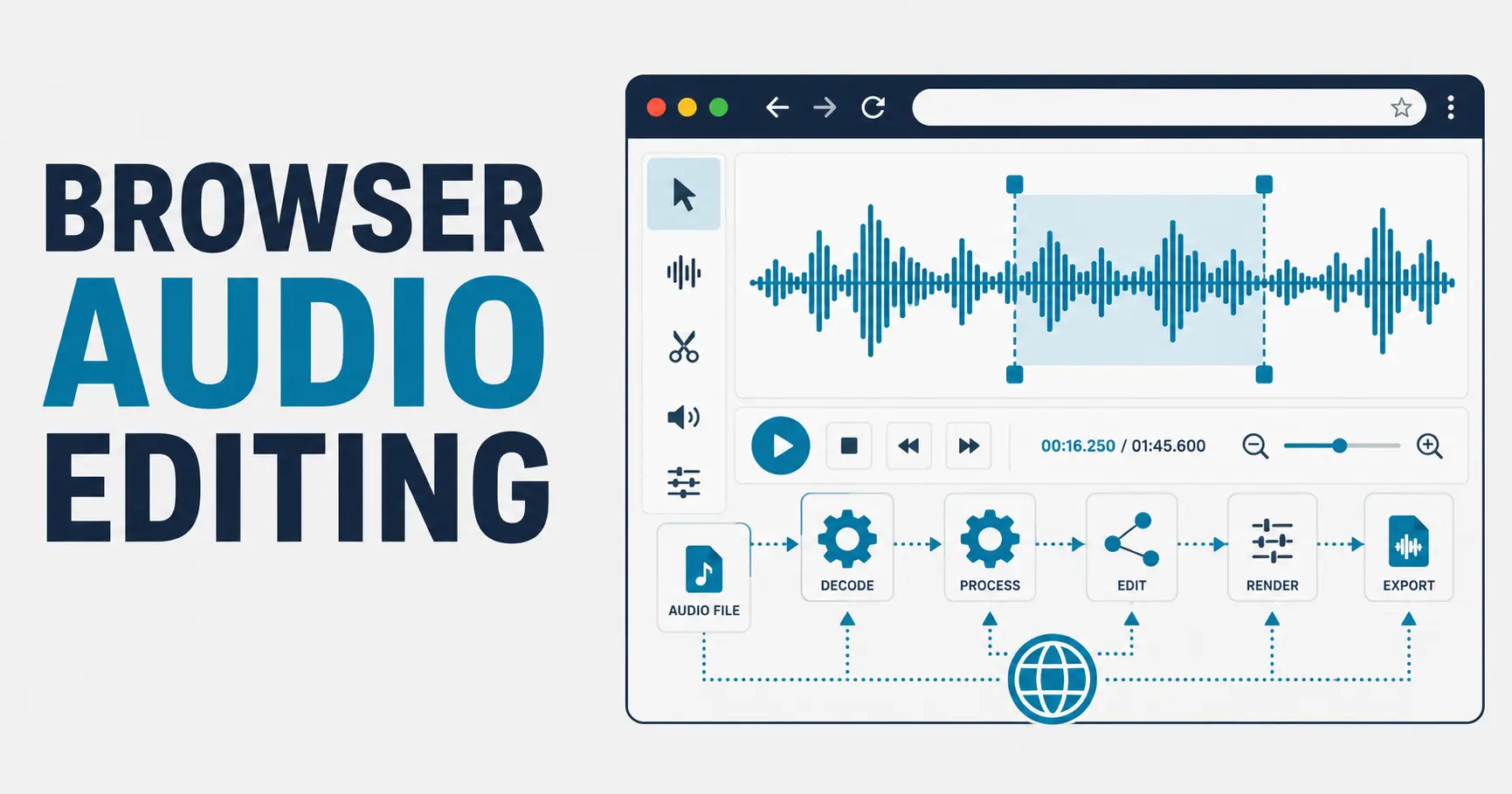
Browser-based audio editing lets you work with sound files directly in a web page. Instead of installing a desktop program, you open an online tool, upload or select an audio file, view the waveform, choose a section, preview the result, and export a new file. For simple tasks like trimming an MP3, cutting a WAV, or making a ringtone, this can be a convenient workflow. Understanding what happens behind the scenes can also help you avoid confusion when large files take time to load or export.
When you choose an audio file, the browser first needs to read it. The file may be an MP3, WAV, M4A, or OGG. Each format stores audio differently, so the browser has to decode it before the sound can be displayed and edited. Decoding means turning the compressed or stored audio data into raw audio samples that the browser can work with. This process is usually quick for short files, but it can take longer for large recordings or older devices.
After decoding, the tool can create a waveform. A waveform is a visual picture of the audio over time. It shows where the sound is louder, quieter, or nearly silent. The waveform does not show every detail in the same way a professional audio workstation might, but it gives a useful overview for trimming. When you drag start and end markers, you are choosing positions on this timeline. The waveform helps you place those markers more accurately than guessing by time alone.
Preview playback is another important part of browser audio editing. When you press play, the browser plays the selected section so you can hear the edit before exporting. This is useful because visual editing alone is not enough. A waveform can show where sound begins, but only listening can confirm whether a word is clipped, a beat starts naturally, or an ending feels too sudden. Previewing turns the editing process into a practical check rather than a guess.
The actual cut is usually created when you export. Before export, the tool stores your selected start and end points. When you choose MP3 or WAV export, the browser creates a new audio file from that selected range. This may involve copying audio samples, converting them to the chosen format, and preparing the file for download. The export process can take longer if the selected audio is long, the file is large, or the device has limited processing power.
Browser-based processing depends on file size, browser, CPU, and memory. File size matters because larger files take longer to read and decode. Browser choice matters because audio support and performance can vary. CPU matters because decoding, previewing, and exporting audio require computation. Memory matters because decoded audio can take much more space in memory than the original compressed file. This is why a long MP3 may become more demanding after it is loaded into an editor.
Compressed formats can be surprising. An MP3 file may look small on disk, but after decoding, the browser works with raw audio data. Raw audio uses more memory because it represents the sound in a form that can be played and processed directly. A one-hour recording may be manageable as a compressed file but still require significant memory during editing. If the browser tab becomes slow, the issue may not be the website alone. It may be the amount of audio data being handled in memory.
Different formats also affect the workflow. WAV files are often larger because they are commonly uncompressed, so they may take longer to upload, load, and export. MP3 files are smaller, but exporting to MP3 requires encoding, which can take processing time. M4A and OGG support can depend on the browser and system. A good online audio cutter tries to support common formats, but browser capabilities still play a role. Using an updated browser usually gives the best compatibility.
Online audio tools often use modern browser features for file handling, audio playback, and export. These features make it possible to process audio without a traditional installed application. Some tools may process audio locally in the browser, while others may use server-side processing depending on how they are built. Because privacy practices vary by site, it is worth checking the tool's privacy information before working with sensitive audio. Sensitive or confidential audio should always be handled carefully.
The waveform itself may be simplified for speed. A full audio file can contain millions of samples, and drawing all of them would be inefficient. Instead, the tool may calculate a smaller set of visual peaks that represent the shape of the sound. This allows the waveform to load and scroll more smoothly. For trimming, this is usually enough. When you need fine accuracy, previewing and small marker adjustments are more important than relying only on the visual shape.
Latency can affect how editing feels. Latency is the small delay between an action and the result, such as pressing play and hearing sound. On most modern devices, this delay is small enough for basic trimming. However, if your device is busy, the file is large, or the browser is low on memory, playback and marker movement may feel less responsive. Closing unused tabs and apps can free resources and improve the experience.
Export format changes what the browser has to do at the end. WAV export is often more direct because it can store raw audio samples in an uncompressed file, although the result may be large. MP3 export usually needs an encoding step, where the audio is compressed into a smaller file. Encoding can take time, especially for longer clips. If an export seems slow, the browser may still be working. Very large exports can also create large download files that take time to save.
For beginners, the most important idea is that online audio editing is still real processing. Even though it happens in a simple web interface, the browser is reading, decoding, displaying, previewing, cutting, and exporting audio. Short clips usually feel fast because there is less data. Long podcasts, lectures, meetings, or WAV files can be slower because there is more to process. This is normal and does not always mean something is broken.
A good browser editing workflow is patient and simple. Use a modern browser, start with a reasonably sized file when possible, wait for the waveform to finish loading, preview before exporting, and save the final file with a clear name. If the file is very important, keep a backup of the original. Browser-based audio cutting is useful because it removes the need for complicated software, but careful listening and good file habits still matter.